
Now Reading: How to Build a Complete SEO Workflow with AI
-
01
How to Build a Complete SEO Workflow with AI

An AI SEO workflow is a structured, repeatable process that uses artificial intelligence tools to handle tasks like keyword research, content briefs, on-page optimization, and performance analysis. It replaces hours of manual work with faster, data-informed decisions helping you publish better content at scale without sacrificing quality.
- An AI SEO workflow connects research, writing, optimization, and reporting into one system.
- AI tools accelerate keyword clustering, content briefing, and competitor gap analysis.
- Human judgment is still essential AI handles volume, you handle strategy and quality.
- A good workflow starts with intent mapping, not just keyword lists.
- Tracking and iteration are what turn a good workflow into a high-performing one.
- You don’t need expensive enterprise tools to start many free and mid-tier options work well.
- The goal isn’t automation for its own sake. it’s consistency and better output.
- Publishing AI-assisted content without editing is one of the fastest ways to damage your site’s credibility.
Introduction
Most SEO advice tells you what to do. Very little of it tells you how to string it all together into something you can actually run every week.
That’s the problem. You know you should do keyword research. You know content matters. You’ve heard about backlinks. But when you sit down on a Monday morning with ten things to publish and a long list of “opportunities,” the process falls apart somewhere between research and actually writing.
AI doesn’t fix strategy. But it does fix throughput. The gap between what you plan and what you actually ship.
A well-designed AI SEO workflow turns scattered tasks into a repeatable system. You run the same steps for every piece of content, in the same order, with the same tools. The result is consistency and consistency is what compounds into rankings over time.
This guide walks through exactly how to build that workflow, from the first keyword to the published post. Whether you’re a solo blogger, a marketing professional, or a business owner handling your own SEO, the structure here adapts to your situation.
What Is an AI SEO Workflow, and Why Does It Matter?
Before building anything, it helps to be clear about what “workflow” actually means in this context.
An AI SEO workflow is a defined, repeatable sequence of steps supported by AI tools at key points that takes you from identifying a topic opportunity to publishing optimized content and tracking its performance. The “AI” part isn’t about replacing your thinking. It’s about removing the manual, time-consuming parts of the process that slow you down.
Here’s a simple way to think about it:
Without a workflow, SEO is a collection of to-do items. With a workflow, it’s a production system.
The difference matters because search engines reward consistency. Sites that publish regularly, maintain quality, and cover topics thoroughly tend to outperform sites that publish sporadically even when the sporadic content is individually excellent.
AI tools make consistency achievable for smaller teams and individuals who couldn’t otherwise match the output of larger operations.
What AI Can (and Can’t) Do for SEO
Let’s be honest about the limitations before going further.
AI is good at:
- Generating keyword variations and clusters quickly
- Summarizing competitor content and identifying gaps
- Drafting outlines and content briefs
- Suggesting internal linking opportunities
- Creating meta descriptions and title tag variations
- Flagging on-page issues at scale
AI struggles with:
- Understanding your brand voice without heavy guidance
- Knowing which angle will actually resonate with your specific audience
- Replacing genuine subject-matter expertise in your content
- Making strategic decisions about topic prioritization
- Producing publish-ready content without human editing
Keep this in mind throughout. The goal is augmentation, not replacement.
Step 1: Define Your Topic Universe Before You Touch Any Tools
The first mistake most people make with SEO AI-assisted or not is jumping straight to a keyword tool and building a list. The problem is that keyword lists without context are just lists. They don’t tell you which topics belong together, which ones your site is positioned to win, or which ones actually align with what your audience needs.
Start upstream from keywords.
Map Your Core Topics First
Think about your site in terms of 4–6 core subject areas that you want to own. For a digital marketing agency, that might be: SEO, paid media, content strategy, analytics, conversion optimization, and local search. Everything you publish should connect to one of those pillars.
This matters because Google evaluates topical authority how thoroughly a site covers a subject not just individual pages. A site that has 40 well-structured articles on email marketing will generally outrank a site with one excellent email marketing guide and nothing else supporting it.
Once you have your core topics, AI can help you branch outward from each one into subtopics, questions, and supporting content ideas.
Use AI to Expand Your Topic Map
Tools like ChatGPT, Claude, or Gemini are useful here not as your final source of truth, but as a fast brainstorming partner. A prompt like:
“I run a marketing blog focused on small businesses. My core topic is SEO. What are the main subtopics, common questions, and content gaps I should cover for someone early in their SEO journey?”
This generates a solid starting point in seconds. You’ll still need to filter for relevance and trim the obvious ones, but you’re working from a list instead of starting from scratch.
Step 2: Keyword Research with AI Assistance
This is where most people start, but it works better when you’ve already done Step 1. With your topics mapped, keyword research becomes about finding the specific terms and phrases that represent each topic not generating random ideas.
The Cluster-First Approach
Instead of targeting individual keywords, modern SEO works better when you target keyword clusters groups of related terms that share the same or similar search intent. A cluster might look like this:
Core term: email marketing for small business
Cluster includes: email marketing tips, how to write marketing emails, best email marketing tools, email open rate benchmarks, email list building strategies
One long-form piece can rank for the core term and pull traffic from the full cluster if structured correctly.
AI tools can accelerate cluster building significantly. You can take a seed keyword into a tool like Semrush or Ahrefs for the raw data, then use a language model to help you group and label the clusters by intent. This used to take hours manually. It now takes 20–30 minutes.
Evaluating Intent, Not Just Volume
Search volume is a useful metric. Intent is the essential one.
For each keyword cluster, you need to know: what does someone actually want when they search this? Are they looking to learn something (informational), find a specific site (navigational), compare options (commercial), or buy something (transactional)?
Getting intent wrong is one of the most common SEO mistakes. A page built for a buying audience that targets an informational keyword will underperform even if it’s technically optimized. AI can help you identify intent patterns quickly by analyzing the search results for a given term and describing what format and content type dominates the first page.
Step 3: Build a Content Brief Before Writing Anything
This step separates professional SEO content from amateur content, and it’s where AI provides enormous value.
A content brief is a document that outlines everything the writer (or AI) needs before drafting begins. It typically includes:
- The target keyword and related terms
- The intended search intent
- A recommended structure (H2s and H3s)
- Competitor content to reference
- Key questions the article should answer
- Word count range
- Internal linking suggestions
- Any data points or statistics to include
Writing without a brief is like building without blueprints. You might finish, but you’ll fix a lot of problems along the way.
How to Use AI to Generate a Brief
You can prompt a language model to generate a first-draft brief by feeding it the target keyword, a summary of your site’s audience, and the top-ranking URLs for that term.
For example:
“Here are the top 5 URLs ranking for ‘AI SEO workflow.’ Based on what these articles cover, generate a content brief for a new article targeting this keyword. Include recommended H2 and H3 headings, questions the article should answer, and any gaps these articles seem to have.”
The output won’t be perfect, but it gives you a structured starting point in a fraction of the time it would take to manually review all those pages.
Step 4: Content Creation Where AI Drafts and Humans Edit
This is the most discussed and the most misunderstood part of the process.
AI can generate a draft. It cannot generate your expertise, your perspective, or your understanding of your specific audience. This distinction matters more than most people realize, especially now that Google’s Helpful Content system is actively looking for signals of genuine expertise and human experience.
How to Use AI for Drafting Without Creating Generic Content
The key is treating AI as a first-draft tool, not a finished-draft tool.
Start with your content brief. Feed it into a language model along with a specific instruction about tone, audience level, and any proprietary insights you want included. The output gives you a skeleton a structured draft with reasonable coverage of the topic.
Then edit. Not lightly. Go through every paragraph and ask:
- Does this actually say something useful?
- Is there anything here that only I could add a personal example, a nuance from experience, a specific insight for this audience?
- Does this match how our brand actually communicates?
The final article should look like it went through your brain, not around it.
On-Page Optimization During Drafting
As you’re editing, handle the basic on-page elements:
- Title tag: Include the primary keyword naturally, keep it under 60 characters, give people a reason to click.
- Meta description: Summarize the page’s value, include the keyword, stay under 160 characters.
- H1 and H2 headings: Structure the page logically, include keyword variations where they naturally fit.
- First 100 words: Establish what the article covers and include the primary keyword early.
- Internal links: Link to 2–3 relevant articles you’ve already published. This helps with crawlability and signals topical depth.
- Image alt text: Descriptive, not keyword-stuffed.
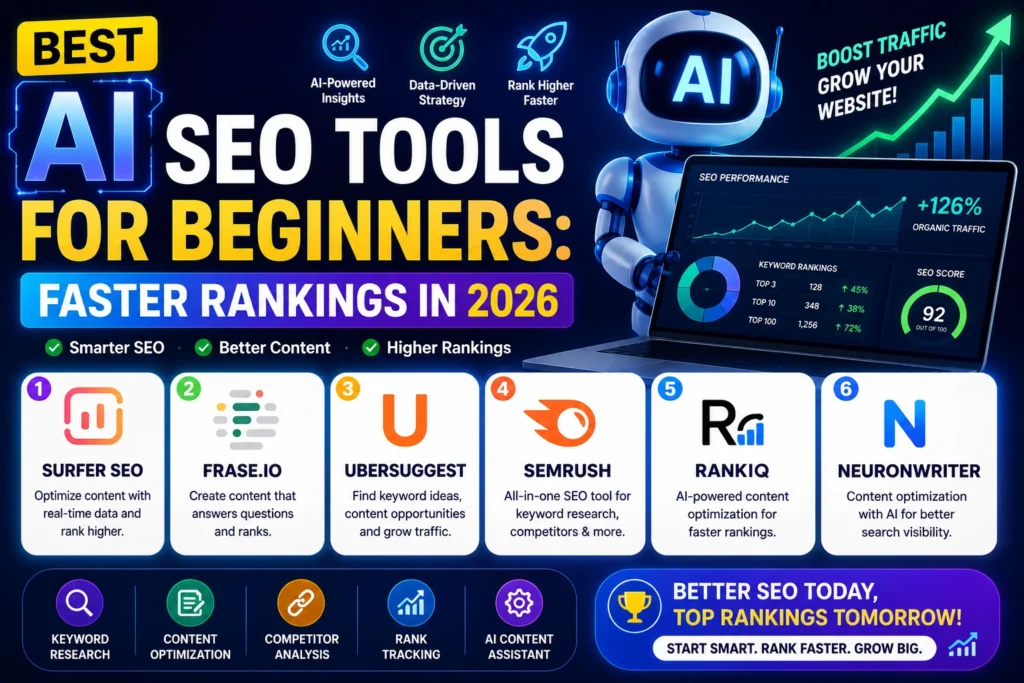
AI tools like Surfer SEO or Clearscope can scan your draft and suggest related terms you might be missing helping with semantic coverage without forcing you to manually track a list of LSI keywords.
Step 5: Technical and On-Page Audit (Don’t Skip This)
Content quality matters. So does the technical foundation it sits on.
If your site has slow load times, broken links, crawl errors, or poor mobile experience, even great content will underperform. Most AI-assisted workflows skip this step, which is a mistake.
A Practical Technical Checklist
You don’t need to become a developer to handle the basics:
- Core Web Vitals: Check your scores in Google Search Console. LCP, INP, and CLS are the ones to watch.
- Mobile usability: Google indexes mobile-first. If your site looks broken on a phone, fix it before anything else.
- Crawl errors: Use Screaming Frog (free up to 500 URLs) or your preferred tool to find 404s and redirect chains.
- Page speed: Run key pages through PageSpeed Insights. Images are usually the fastest win compress them.
- Structured data: Adding schema markup (Article, FAQ, Breadcrumb) helps search engines understand your content and can trigger rich results.
AI tools can help you generate schema markup quickly. For example, you can paste your FAQ content into a language model and ask it to generate FAQ schema in JSON-LD format then validate it with Google’s Rich Results Test before adding it to your page.
Step 6: Publishing and Internal Linking Strategy
Where and how you publish matters. Before you hit publish:
Review your internal linking: Every new article should link to relevant existing content, and existing content should link back to the new article where relevant. This distributes page authority across your site and helps Google understand how your content relates.
AI can help here too. Feed your new article’s topic into a language model with a list of your existing published URLs and ask it to identify which ones are most relevant for internal linking. It won’t be perfect, but it reduces the time you spend manually reviewing your archive.
Set your canonical URL: If you’re publishing content that might be duplicated or syndicated elsewhere, make sure the canonical tag points to your preferred version.
Submit to Google Search Console: Once published, use the URL Inspection tool to request indexing. It doesn’t guarantee faster crawling, but it signals intent.
Step 7: Track, Measure, and Iterate
The workflow doesn’t end at publish. This is where most content strategies fall apart things get published and then forgotten.
The Metrics That Actually Matter
Not all traffic is meaningful. Track what moves the needle:
- Impressions and clicks (Search Console): Are you appearing in search results? Are people clicking through?
- Average position: Is a page trending up or stuck? Pages in positions 5–15 are often the best candidates for a refresh.
- Organic sessions (GA4): How much non-paid traffic is the page generating?
- Engagement rate: Are readers sticking around, or bouncing immediately?
- Conversions: If this page exists to generate leads, sign-ups, or purchases is it doing that?
The Content Refresh Cycle
Most articles benefit from a refresh 6–12 months after publication. This is where AI can save significant time. You can use a language model to:
- Identify outdated statistics and suggest replacements
- Flag sections that might not reflect current best practices
- Suggest additional questions to cover based on current search patterns
Refreshing content often produces faster ranking improvements than publishing entirely new articles, because you’re improving pages that already have some authority and history.
Common Mistakes to Avoid in an AI SEO Workflow
Publishing AI drafts without editing. The quality signal hits immediately readers can tell, and so can Google’s systems. Every article needs a human pass.
Chasing volume over intent. A keyword with 10,000 monthly searches means nothing if the intent doesn’t match what you’re selling or creating.
Building a workflow but not sticking to it. Consistency compounds. An inconsistent workflow produces inconsistent results.
Ignoring your existing content. New articles are exciting. Refreshed articles often perform better. Balance both.
Using AI to stuff keywords. The opposite of good SEO. Modern ranking systems are sophisticated enough to detect over-optimization, and it actively damages user experience.
FAQs
What is an AI SEO workflow?
A repeatable, AI-supported process covering keyword research, content creation, on-page optimization, and performance tracking.
What AI tools are best for SEO?
ChatGPT, Claude, Surfer SEO, Clearscope, Semrush AI features, and Ahrefs are commonly used.
What’s the difference between AI SEO and traditional SEO?
The goals are identical the difference is that AI tools reduce manual work and accelerate output.
How do I use AI for keyword research?
Use language models to brainstorm clusters and group keywords by intent, combined with tools like Semrush or Ahrefs for data.
How does AI help with content briefs?
AI can analyze competitor pages and generate structured outlines with recommended headings and questions to cover.
What’s the most important part of an AI SEO workflow?
The human editorial layer AI without human judgment produces generic content that doesn’t rank or convert.
Can I use AI for technical SEO?
AI can generate schema markup, audit checklists, and help interpret data but most technical fixes still require implementation.
Does AI SEO work for small businesses?
Yes, it levels the playing field by reducing the labor required to produce consistent, quality content.
What is semantic SEO and how does AI help?
Semantic SEO covers a topic comprehensively using related terms. AI helps identify those terms and flag gaps in your content.
How do I measure if my AI SEO workflow is working?
Track organic impressions, clicks, average position, and conversions in Google Search Console and GA4 over 3–6 months.
How does AI SEO affect E-E-A-T signals?
AI doesn’t create E-E-A-T your expertise, real examples, and honest recommendations do. AI-assisted articles need a layer of genuine insight to satisfy Google’s quality evaluators. Cite sources, include personal experience, and be specific.











anti-violence-874569
[413891]supplies professional anti-violence equipments and solutions for the whole world with strong and perfect production capacity. anti-violence.org