Now Reading: Social Media Content Planning with AI: Save Time and Stay Consistent
-
01
Social Media Content Planning with AI: Save Time and Stay Consistent
Social Media Content Planning with AI: Save Time and Stay Consistent

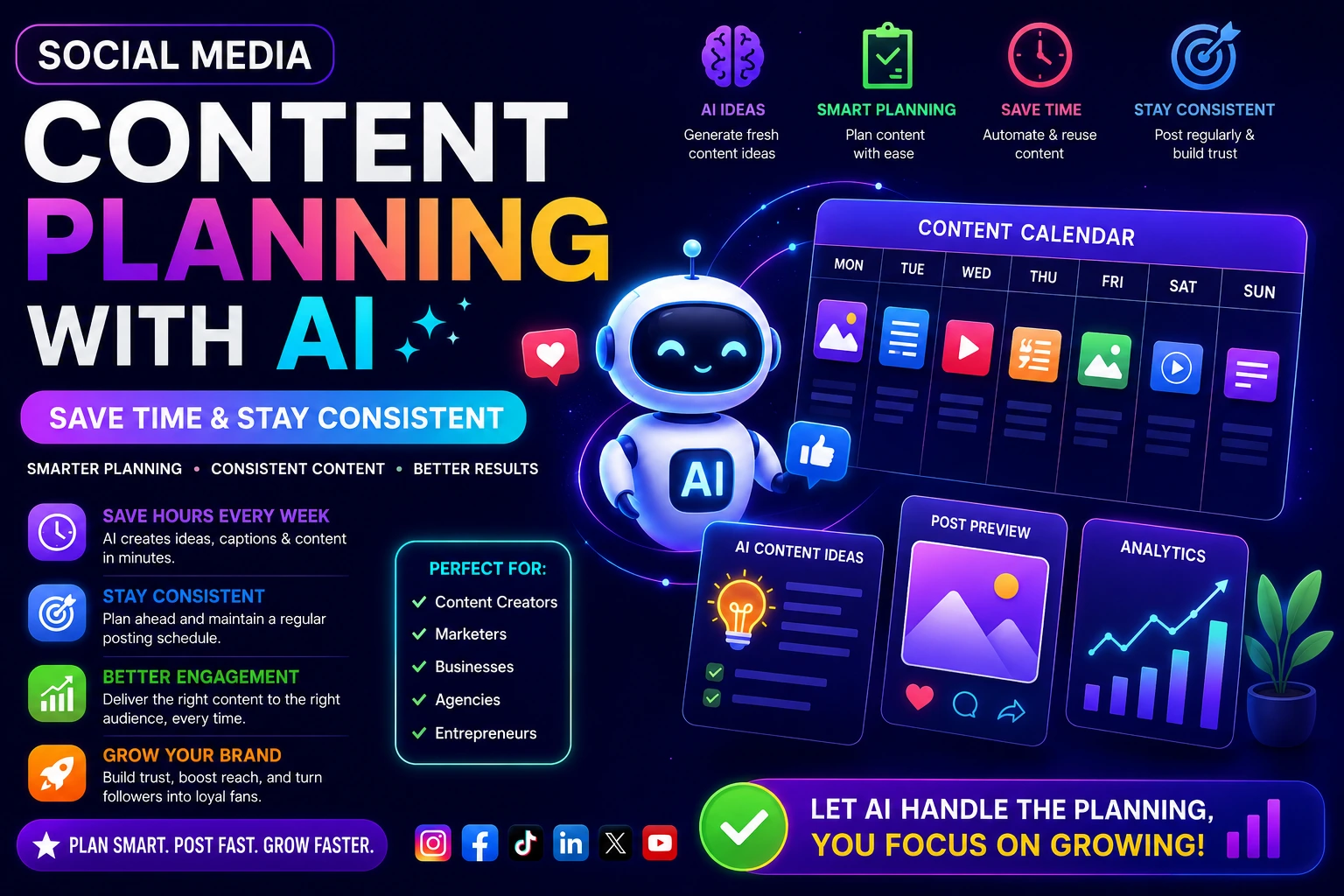
If you’ve ever stared at a blank screen trying to figure out what to post tomorrow or realized it’s Thursday and you haven’t planned anything for the week you’re not alone. Keeping up with social media is genuinely hard. Most people don’t struggle with effort. They struggle with system.
Introduction
That’s exactly where social media content planning with AI changes everything.
AI tools have made it faster and easier to plan, write, and schedule content without burning out. Whether you’re a solo creator, a small business owner, or someone just getting started, this guide will walk you through the practical steps of building a smart, AI-powered content workflow from scratch.
Let’s get into it.
Why Most People Struggle with Social Media Consistency
Before we talk about solutions, it’s worth understanding the real problem. Most people don’t lack creativity they lack a repeatable process.
Here’s what the cycle usually looks like:
- You post a few times, feel good, then life gets busy.
- You fall off. A week goes by. Then two.
- You scramble to post something just to “stay active.”
- The content feels rushed, and results are disappointing.
- Repeat.
The issue isn’t willpower. It’s the absence of a planning system. And AI can fill that gap better than any spreadsheet or color-coded planner ever could.
What Is Social Media Content Planning with AI?
At its core, social media content planning with AI means using artificial intelligence tools to help you research, generate, organize, and schedule your content — instead of doing it all manually.
This doesn’t mean robots are writing everything for you (although they can help with drafts). It means AI becomes your research assistant, your brainstorming partner, and your content calendar architect.
The result? You spend less time staring at a blank screen and more time doing work that actually matters.
What Can AI Actually Do for Your Content?
Here’s a quick breakdown of where AI genuinely helps:
- Topic research: AI can analyze trends, identify content gaps, and suggest topics your audience actually searches for.
- Caption and post writing: Tools like ChatGPT, Claude, or Jasper can generate draft captions, hooks, CTAs, and even full post scripts.
- Content calendar building: AI can help you lay out a month’s worth of content themes in minutes.
- Hashtag research: Some tools analyze top-performing hashtags by niche and audience size.
- Repurposing content: AI can take a blog post and turn it into five social media posts, a newsletter intro, and three short-form video scripts.
Building Your AI Content Calendar Step by Step
An AI content calendar isn’t just a schedule — it’s a strategy. Here’s how to build one that actually works.
Step 1: Define Your Content Pillars
Before you touch any AI tool, decide on 3–5 core topics your account will consistently cover. These are called content pillars.
For example, a fitness coach might use:
- Workout tips
- Nutrition advice
- Client transformations
- Mindset and motivation
- Behind-the-scenes content
Once you have your pillars, you give AI a framework to work within. Instead of asking “give me content ideas,” you ask “give me 10 content ideas for each of these five pillars for Instagram.”
That’s when the output gets genuinely useful.
Step 2: Use AI to Generate a Month of Ideas
Take your pillars to a tool like ChatGPT or Claude and prompt it like this:
“I run a [type of account] for [target audience]. My five content pillars are [list them]. Generate 20 content ideas — 4 per pillar — that would work well as short-form social media posts on Instagram and LinkedIn.”
You’ll get a rough content bank in under two minutes. Not every idea will be gold, but you’ll have more than enough to choose from.
Step 3: Organize Your Calendar
Now map your ideas to dates. A simple approach:
- Monday: Educational or tips post
- Wednesday: Relatable or story-based post
- Friday: Promotional or behind-the-scenes
Repeating this pattern gives your audience predictability and gives you structure. You can also use AI to help assign ideas to days based on content type — just share your framework and ask it to help organize.
Step 4: Draft the Content in Batches
This is where the real time savings happen.
Content Batching with AI: Post a Month in One Afternoon
Content batching means creating multiple pieces of content in a single focused session rather than writing one post at a time. Pair batching with AI, and you can draft an entire month of posts in a few hours.
Here’s a simple batching workflow:
1. Block two to three hours once or twice a month. Treat it like a meeting you can’t cancel.
2. Open your AI tool and set the context. Give it your brand voice, target audience, and a list of topics you want to cover.
3. Generate drafts for each post. Don’t aim for perfection here. Ask AI to write five versions of the same post if you want options. Pick the one that feels most like you.
4. Edit for voice and accuracy. This is the step most people skip — and it shows. Always read through AI drafts and adjust them to match how you actually talk. Add personal stories, specific numbers, or examples AI wouldn’t know.
5. Add visuals and schedule. Once written, pair your posts with images or graphics and schedule them using a tool like Buffer, Later, or Metricool.
By the end of your batching session, your content is planned, written, and ready to go live — without touching social media every single day.
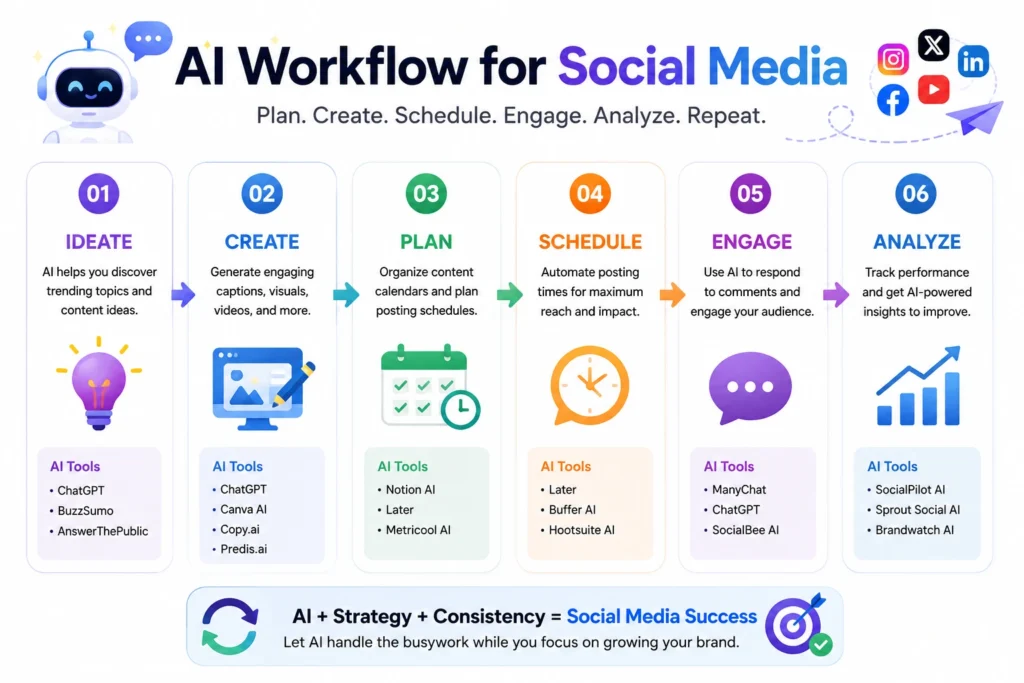
AI Workflow for Social Media: A Practical Setup
Let’s look at what a complete AI-powered social media workflow can look like week by week.
Weekly Workflow Example
Sunday (Planning — 30 minutes):
- Review last week’s performance metrics.
- Decide on this week’s content themes.
- Use AI to generate any missing ideas or fill gaps in your calendar.
Monday or Tuesday (Creation — 1–2 hours):
- Use AI to draft captions, hooks, or scripts for the week.
- Edit and personalize each piece.
- Collect or create visuals.
Wednesday (Scheduling — 30 minutes):
- Upload everything to your scheduling tool.
- Set publish times based on when your audience is most active.
Throughout the week:
- Respond to comments and DMs.
- Note what performs well for future planning.
That’s it. The entire content workflow fits into about 3–4 hours per week, with AI doing the heavy lifting on ideation and drafting.
Content Automation: What to Automate (and What Not To)
There’s a difference between content automation and being automated. AI should help you show up more consistently — not replace the human element that makes your content worth following.
Things Worth Automating
- Scheduling: Always automate this. There’s no reason to manually post every day.
- First-draft generation: Let AI write the first version, then you refine it.
- Hashtag suggestions: Use AI or platform tools to generate relevant tags.
- Repurposing: Turn one piece of content into multiple formats with AI help.
- Performance summaries: Some AI tools can pull analytics and summarize your top-performing posts automatically.
Things You Should NOT Automate
- Replies and comments: People can tell when responses are robotic. Real engagement builds real community.
- Your unique stories and opinions: AI doesn’t know what happened to you last week or why you started your business. That kind of personal content has to come from you.
- Trend participation: Jumping on a trending topic or sound has to be timely and human. AI can help you brainstorm an angle, but the reaction needs to be real.
Best AI Tools for Social Media Content Planning
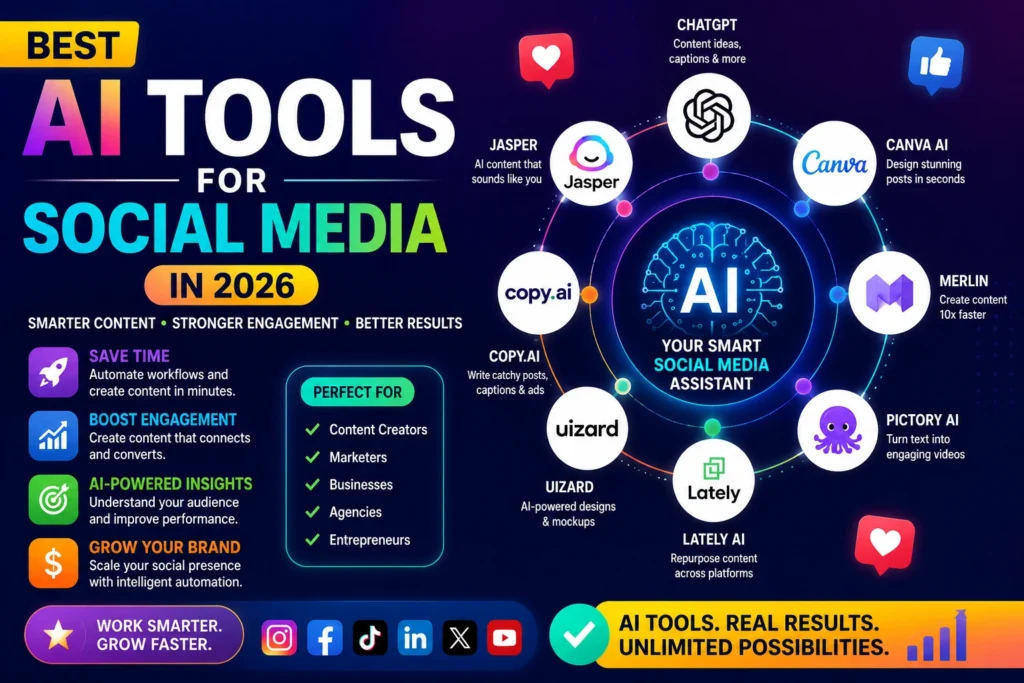
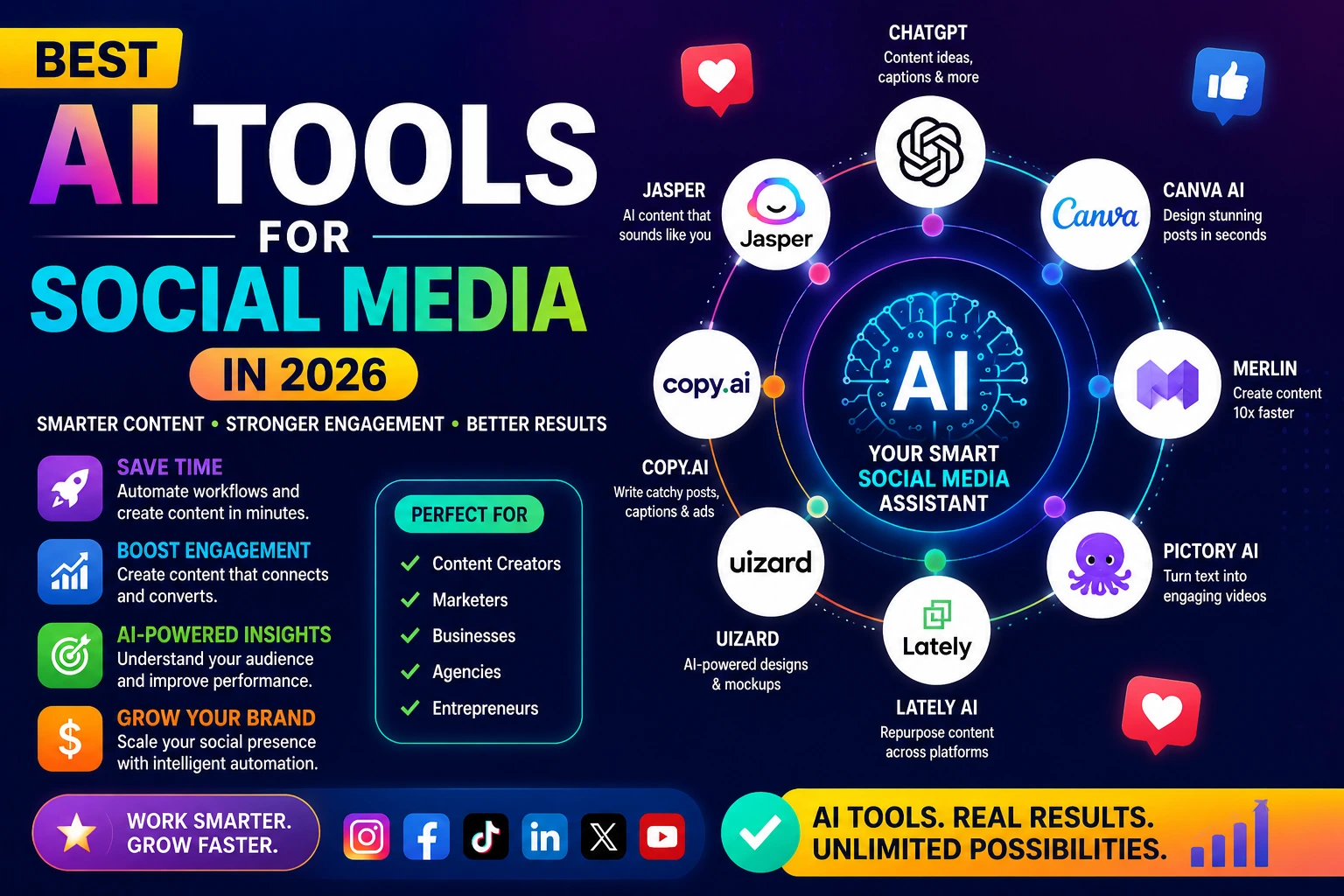
You don’t need to subscribe to every tool out there. Here are some practical options depending on what you need:
For ideation and writing:
- ChatGPT (OpenAI): Versatile, good for brainstorming, drafting, and repurposing.
- Claude (Anthropic): Strong for longer-form content and nuanced tone.
- Jasper: Built specifically for marketing content with brand voice features.
For scheduling and automation:
- Buffer: Simple, clean interface for scheduling across platforms.
- Later: Great for visual planning, especially Instagram.
- Metricool: Combines scheduling with analytics in one place.
For design and visuals:
- Canva (with Magic Write AI): Helps with both design and short copy.
- Adobe Express: Good for quick branded graphics.
You don’t need all of these. A good starting stack for beginners is ChatGPT or Claude for writing and Buffer or Later for scheduling. That combination alone can transform your output.
Expert Insights: What Works, What Doesn’t
After working with AI content tools across different niches, a few patterns become clear.
Best Practices
Always give AI context. The more specific your prompt, the better the output. “Write a caption for my fitness page” will give you something generic. “Write a caption for a fitness coach targeting busy moms, promoting a 20-minute home workout, with a motivational tone and a question at the end” will give you something useful.
Treat AI output as a first draft. Editing is not optional. Your authentic voice is your competitive advantage, and AI doesn’t have it by default.
Batch by theme, not by platform. Instead of writing all your Instagram posts, then your LinkedIn posts, write all your “tip” posts, then all your “story” posts. It keeps your brain in one creative mode longer and speeds things up.
Review metrics before planning. Let your past performance guide future content. AI can help you identify which topics or formats did best when you feed it the data.
Common Mistakes to Avoid
Over-relying on AI for personality. Followers connect with people, not polished output. If everything sounds too perfect, you’ll lose the connection that drives loyalty.
Skipping the editing step. AI occasionally gets facts wrong, makes confident-sounding claims that aren’t accurate, or produces content that sounds subtly off-brand. Always check before you publish.
Planning too far ahead without flexibility. A monthly calendar is a guide, not a contract. Leave room for trending topics, personal moments, or breaking news in your niche.
Using AI to spam. Posting 10 times a day because AI makes it easy to generate content isn’t a strategy. Consistency matters more than volume.
Conclusion
Social media content planning with AI isn’t about removing the human from your brand — it’s about removing the friction. The blank-screen paralysis, the last-minute scrambling, the inconsistency that holds so many creators and businesses back. AI handles those bottlenecks so you can focus on what actually requires you: your story, your expertise, your connection with your audience.
Start simple. Pick one AI tool. Build a content calendar for next month. Batch one week’s worth of posts. See how it feels.
Once you experience what a consistent, low-stress content workflow actually looks like, it’s hard to go back to doing it the hard way.
The tools are accessible. The process is learnable. And the results — more consistent posting, better content, less burnout — are very much worth it.
FAQs
1. Do I need to know how to code or be tech-savvy to use AI for social media planning?
Not at all. Most AI tools have simple chat interfaces — you type a question or request, and the tool responds. If you can write a text message, you can use AI for content planning.
2. Will my audience know my content was AI-assisted?
If you edit properly and inject your personality, most people won’t notice — and it doesn’t really matter. Many professional writers and marketers use AI tools as part of their process. What matters is whether the content is helpful and authentic.
3. How often should I batch content?
Most people find that batching twice a month works well. Some prefer once a month for a full 30-day plan. Experiment to find what fits your rhythm.
4. Can AI help me figure out the best times to post?
AI tools themselves typically don’t have access to your account data, but platforms like Instagram, LinkedIn, and TikTok have built-in analytics that show when your audience is most active. Tools like Later or Metricool can also surface this data and factor it into your scheduling.
5. Is AI content planning only for large businesses or influencers?
Absolutely not. Solo creators, freelancers, local businesses, and side-hustle owners benefit just as much — often more, since they have fewer resources and more to gain from efficiency.
6. What if I’m in a niche where accuracy really matters (health, finance, legal)?
You should be especially careful with AI-generated content in these areas. Use AI for structure and drafts, but always verify facts with trusted sources and, where appropriate, have a qualified professional review the content before publishing.
7. Can AI help me repurpose old content?
Yes — this is one of the best uses. You can paste in an old blog post and ask AI to turn it into five social media posts, a short video script, a newsletter section, and a quote graphic. It’s one of the fastest ways to get more from content you’ve already created.
8. How do I make sure my content doesn’t all sound the same?
Vary your formats (tips, stories, questions, behind-the-scenes, polls), vary your hooks, and always add a personal touch to each post. AI tends to repeat patterns if you don’t push it to vary structure — so explicitly ask for different tones and formats.